- Provide real-time intraoperative technical support across surgical specialties, including Stryker endoscopy systems, equipment setup, multi-system configurations, troubleshooting, and device functionality.
- Serve as the first on-site technical and operational resource when equipment is missing, malfunctioning, delayed, incorrectly configured, or needs to be escalated to the right stakeholder.
- Support case readiness by ensuring surgical equipment, instruments, supplies, documentation, and account-specific needs are organized and available before procedures.
- Manage account-level operations across procurement, vendor coordination, inventory, par levels, schedule-based forecasting, repairs, replacements, and equipment availability.
- Coordinate daily with surgeons, nurses, scrub techs, anesthesiologists, sterile processing, biomedical engineering, vendors, and hospital staff.
- Train staff on newly procured equipment, explain device functionality, support workflow integration, and write clear protocols when new systems or process changes are introduced.
- Hold Government Contractor PIV clearance with VA intranet access for secure workflows, system changes, documentation, and account-related operational needs.
- Work independently in a high-pressure surgical environment where priorities shift constantly and problems require fast, practical judgment.
Surgical Operations & iOS Development
Gunnar Hostetler
From locating underground utilities in Chicago to providing intraoperative technical support for Stanford surgeons at the VA in Palo Alto, primarily supporting Stryker endoscopy systems across 8 operating rooms.
Outside of my professional work, I started building iOS applications out of sheer curiosity - creating solutions to my own problems and finding great joy if they help others out as well. I am fueled by a relentless drive to learn new things and develop new skills.
Selected Work
Four shipped App Store apps and one sandbox integration prototype, detailing local retrieval strategies, systems integration, and release metrics.
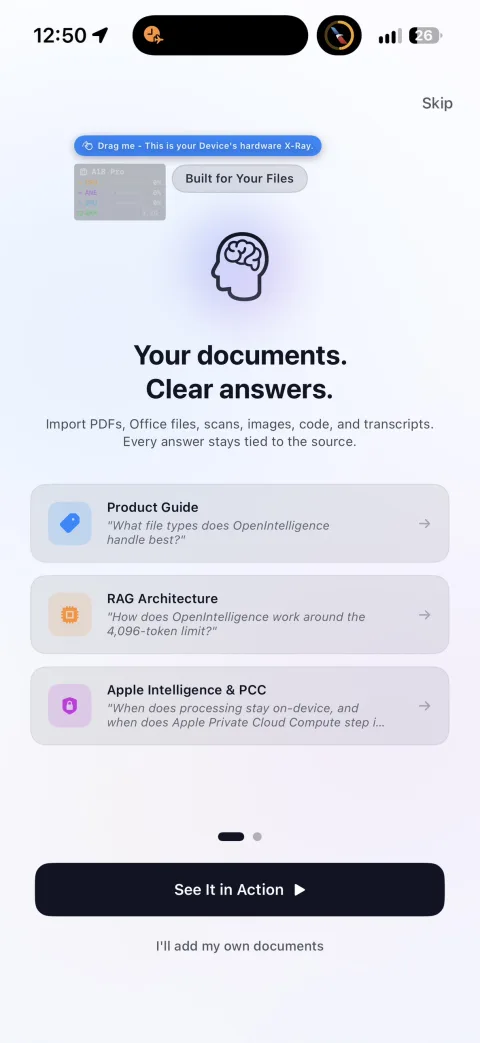
OpenIntelligence Flagship Project
Offline document intelligence engine built to push Apple Intelligence-capable devices toward cloud-style RAG, OCR, retrieval, and cited reasoning.
Why I built it: I built OpenIntelligence to test how close an Apple device could get to cloud-style document agents while staying fully local. It started as a challenge to push Apple Silicon and Apple Intelligence-capable devices as far as possible, then grew into a full RAG engine for private documents: large PDFs, dense text, tables, OCR, citations, and local retrieval without a cloud backend.
How I built it: I engineered a local-first iOS document engine with layout-aware text extraction, Vision OCR, SQLite FTS5, and 384-dimensional dense embeddings accelerated with BNNS. The app combines semantic retrieval, keyword search, HyDE-style query rewriting, self-critique, and context packing to pull relevant evidence from complex documents before generating cited answers.
OpenClinic
Offline-first medical charting proof-of-concept applying the OpenIntelligence engine to patient records.
Why I built it: I was seeing a lot of discussions about the potential for local, on-device EHRs and patient privacy. I wanted to see if I could build a proof-of-concept myself, testing if the offline RAG engine I built for OpenIntelligence could be adapted to run over medical charting schemas and patient data structures locally.
How I built it: Adapted the Core ML vector search and SQLite FTS5 lexical indexing pipeline from OpenIntelligence. Structured the interface in SwiftUI around a local SwiftData store, integrating SMART on FHIR discovery and OAuth (ASWebAuthenticationSession) to pull demo Patient, Condition, and MedicationRequest resources directly from EHR sandboxes into the local offline model.
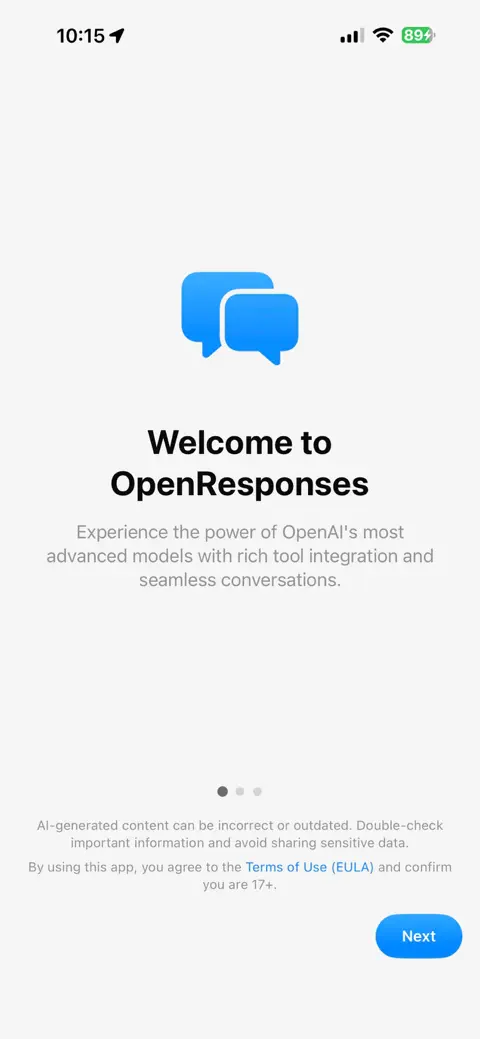
OpenResponses
SwiftUI client built around OpenAI's modern Responses API with full tool support.
Why I built it: Built to migrate off completion-era OpenAI endpoints (following deprecation announcements) to the modern Responses API, adding advanced multi-modal tool support.
How I built it: Programmed a SwiftUI app following the MVVM pattern with AppContainer dependency injection. Created Combine streaming handlers to parse 40+ event types, integrated built-in tools (web search, file search, code interpreter), and implemented security-scoped consent sheets to gate higher-risk actions.
Engineering Trade-Offs: Chose raw SwiftUI MVVM + Combine over heavy third-party state frameworks to minimize binary size. Implemented custom decoders for OpenAI's raw event streams to handle interrupted network state cleanly.
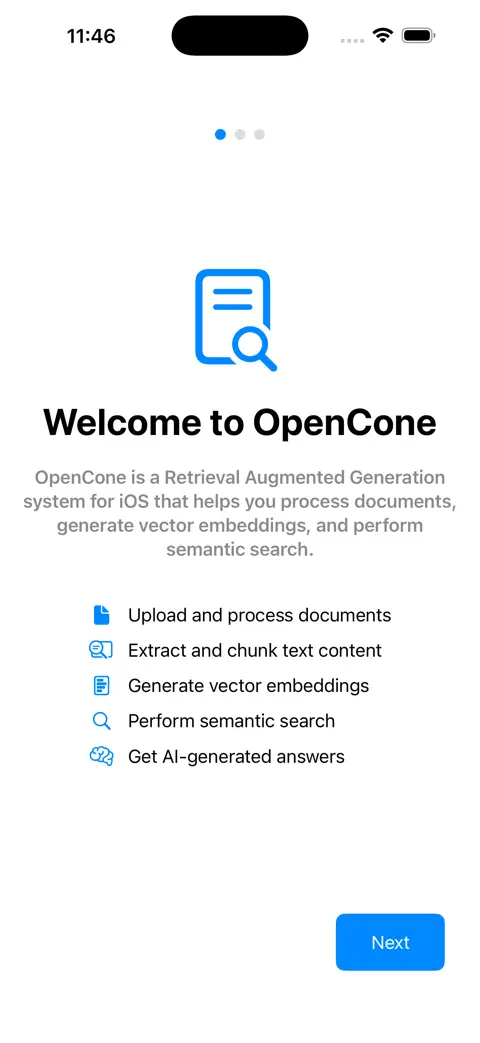
OpenCone
Semantic search and multi-index document retrieval iOS client built on Pinecone.
Why I built it: Created because OpenAI's Assistants playground limited assistants to a single vector store, preventing me from chatting with multiple large document databases at once.
How I built it: Created in SwiftUI using async/await. Implemented local PDFKit extraction, Vision OCR document parsing, and metadata chunking. Connected Pinecone's index/namespace endpoints and OpenAI's embeddings, securing sandboxed documents via security-scoped bookmarks and Keychain storage.
Engineering Trade-Offs: Opted for a direct Pinecone REST integration instead of heavy SDKs to preserve memory. Implemented security-scoped bookmarking for local sandboxed files, accepting iOS file-system restrictions while preserving data isolation.
OpenAssistant
Foundational iOS client for OpenAI's Assistants V2 API.
Why I built it: Created to query and digest dense medical device documentation (IFUs) on my iPhone, and to serve as my introduction to Swift development and Apple App Store submission.
How I built it: Programmed in SwiftUI and Combine, mapping assistant endpoints, threads, and runs. Persistent message storage was constructed using local JSON serialization, and the project shipped after resolving ~30 Connect App Review rejections.
Debugging Deep-Dive: App Store rejected initial builds 30+ times due to sandboxing violations when querying local PDF documents. Solved by implementing security-scoped bookmarks (using startAccessingSecurityScopedResource()) and moving document processing to an isolated background thread to prevent UI hangs.
Code Contribution Velocity
Git Stratigraphy
Visualizing codebase evolution and commit categories over time as concentric tree rings (from center outward).
Operational & Engineering Skills
Proven competence across surgical logistics, mobile operating environments, and local AI retrieval systems.
Surgical Operations & Logistics
Navigating high-stakes, sterile operating environments under regulatory constraints.
iOS Mobile Systems
Engineering native layouts, data bindings, and hardware capabilities on Apple platforms.
On-Device Retrieval (RAG)
Designing local-first parsing, embedding pipelines, and deterministic verification.
Professional Operations
Get In Touch
Contact & System Access
For engineering inquiries, project references, or technical collaboration, reach out via the contact form or connect directly through the details below.